Open Source · Self-Hosted · Flask + SQLite

The private wiki
for your team

BananaWiki is a self-hostable wiki portal built with Flask and SQLite. It includes Markdown pages, page history, Canvas, Kanban boards, chat, permissions, and optional plugins in one app. It is meant to be straightforward to run and easy to keep under your control.

python3.9+ flask3.1 databaseSQLite tests3,100+

What is BananaWiki?

A private wiki for teams that want documentation, planning, and basic collaboration in one self-hosted app.

๐Ÿง  Wiki pages

Markdown editing, live preview, page history, hierarchical categories, authenticated image uploads, sequential navigation, draft autosave, and difficulty tags for training material.

๐ŸŽจ Extra tools

Canvas diagrams, Kanban boards, direct chat, video embeds, file attachments, and custom pages all share the same accounts and permissions.

๐Ÿ” Self-hosted

Self-host on your own VPS, mini PC, or laptop. One Flask app, one SQLite database, optional Gunicorn + nginx in front. No SaaS dependency, no telemetry, no third-party analytics, no licence checks phoning home.

๐Ÿงฉ Plugins

Thirty-three built-in plugins are available, including audit log, badges, drafts, OAuth login/provider, page governance, file manager, Telegram backup, text-to-speech, video meetings, BananaAI, BananaCAD, and beta-tester tools. Custom plugins can use bananawiki_sdk.

๐Ÿ—๏ธ

Current Status

BananaWiki is usable in self-hosted environments today. It is currently used internally at Canalescuola and by a small group of associated collaborators.

The hosting platform can create isolated wiki instances for testing or internal use. Each instance gets its own database, files, and admin account.

BananaWiki in action

A modern, functional interface designed for productivity.

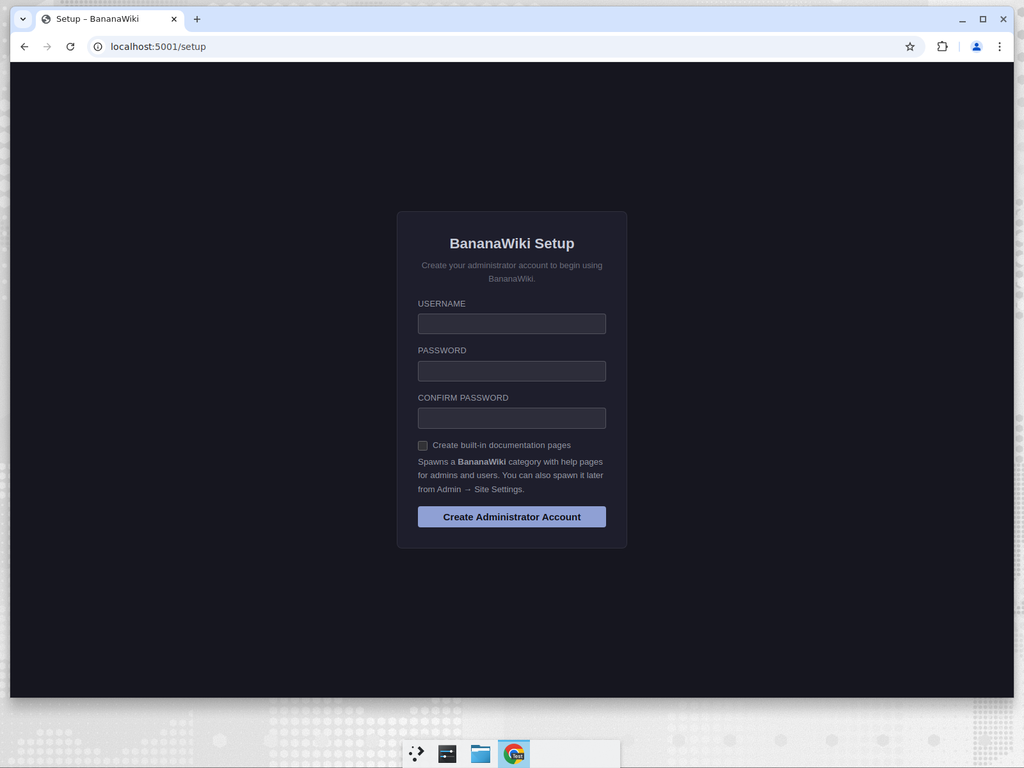
BananaWiki setup wizard for creating the first administrator account Setup wizard
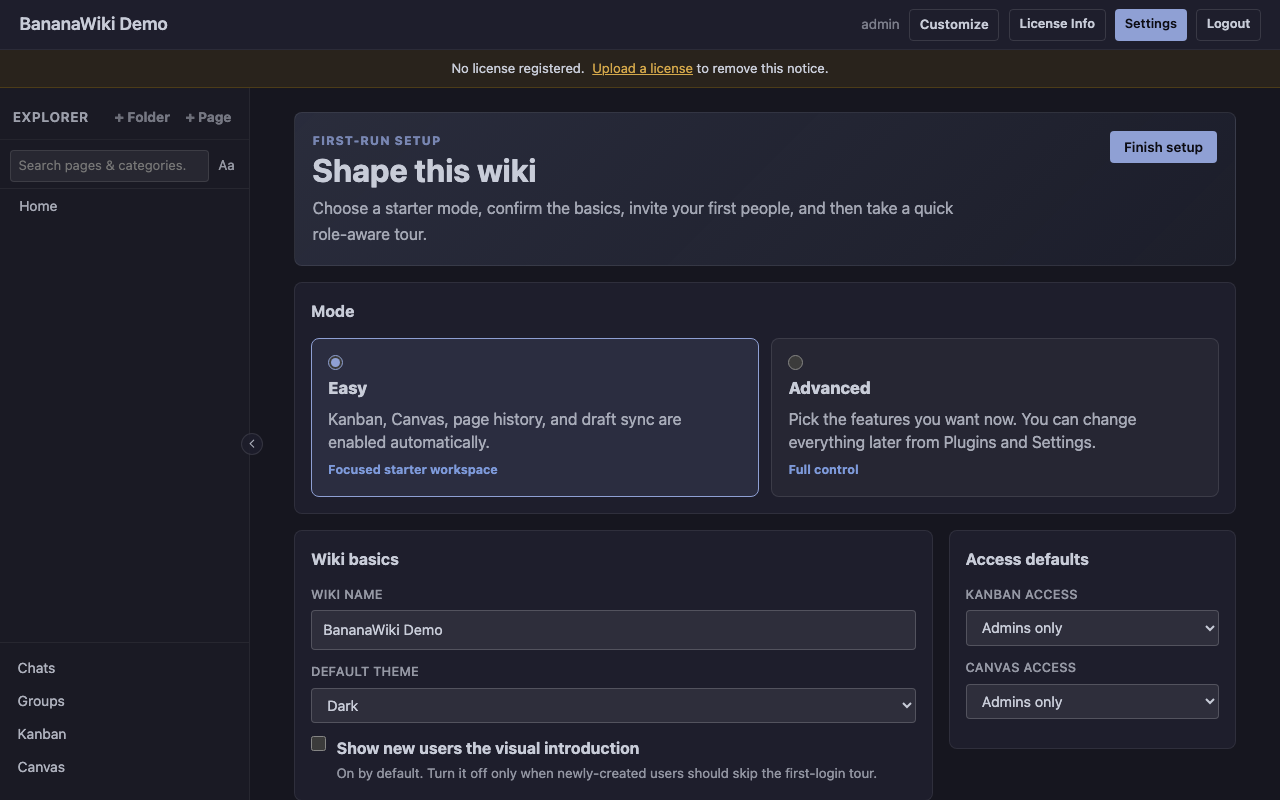
BananaWiki onboarding setup screen with Easy and Advanced starter modes First-run onboarding
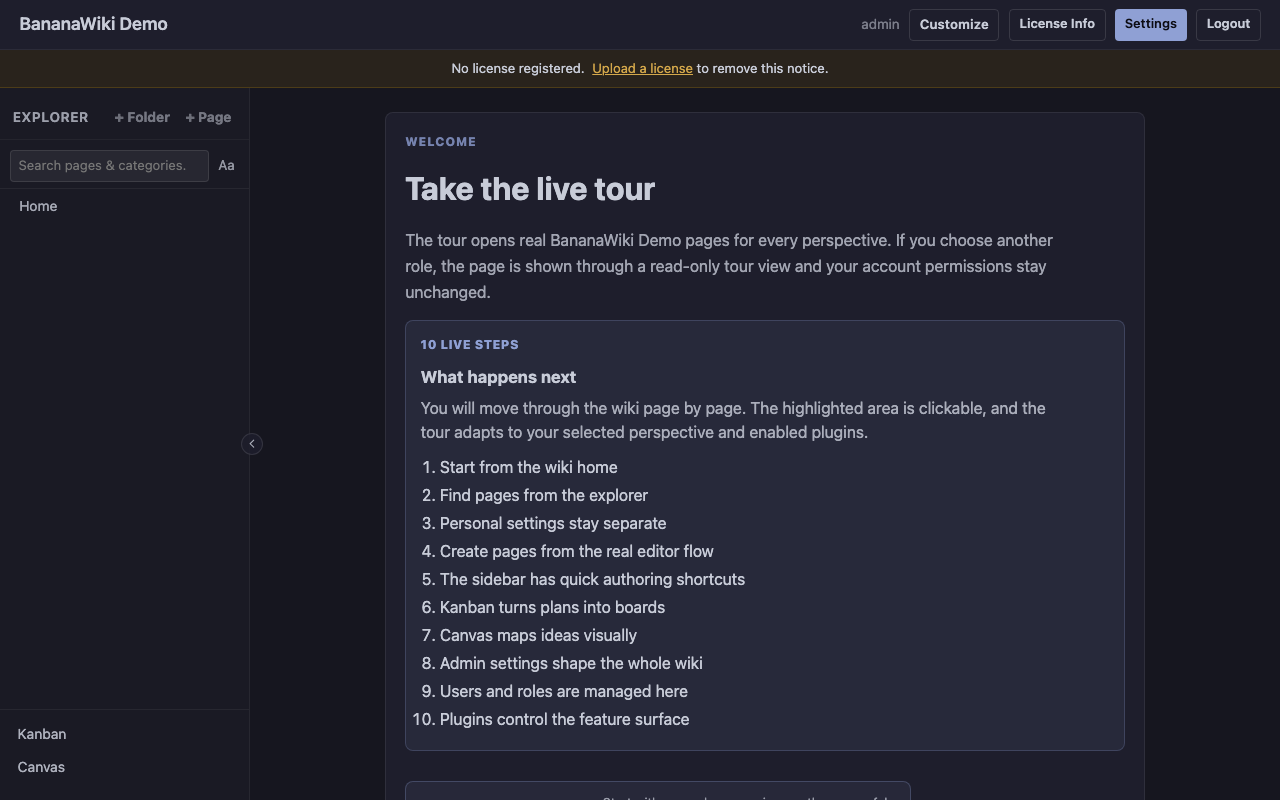
BananaWiki intro page for starting the live guided tour Role-aware tour launcher
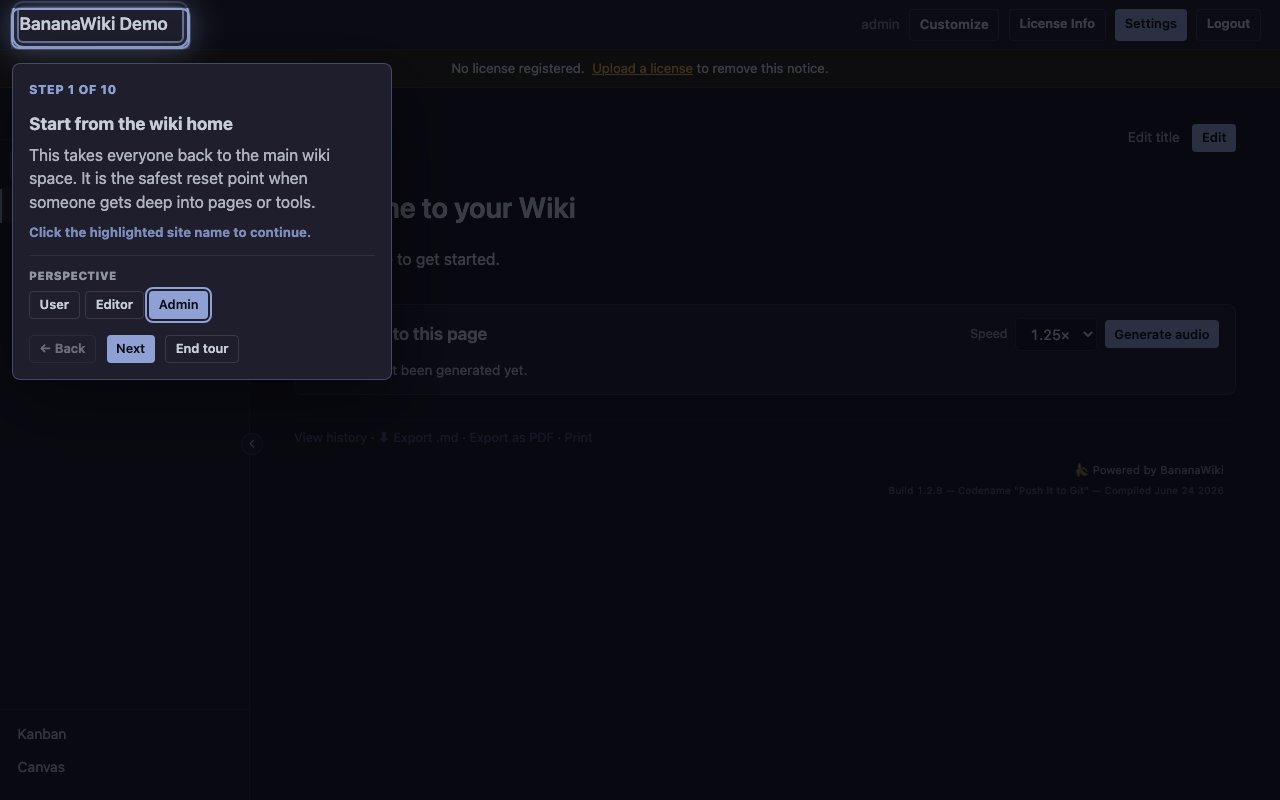
BananaWiki live guided tour overlay highlighting the real wiki home page Live tour on real pages
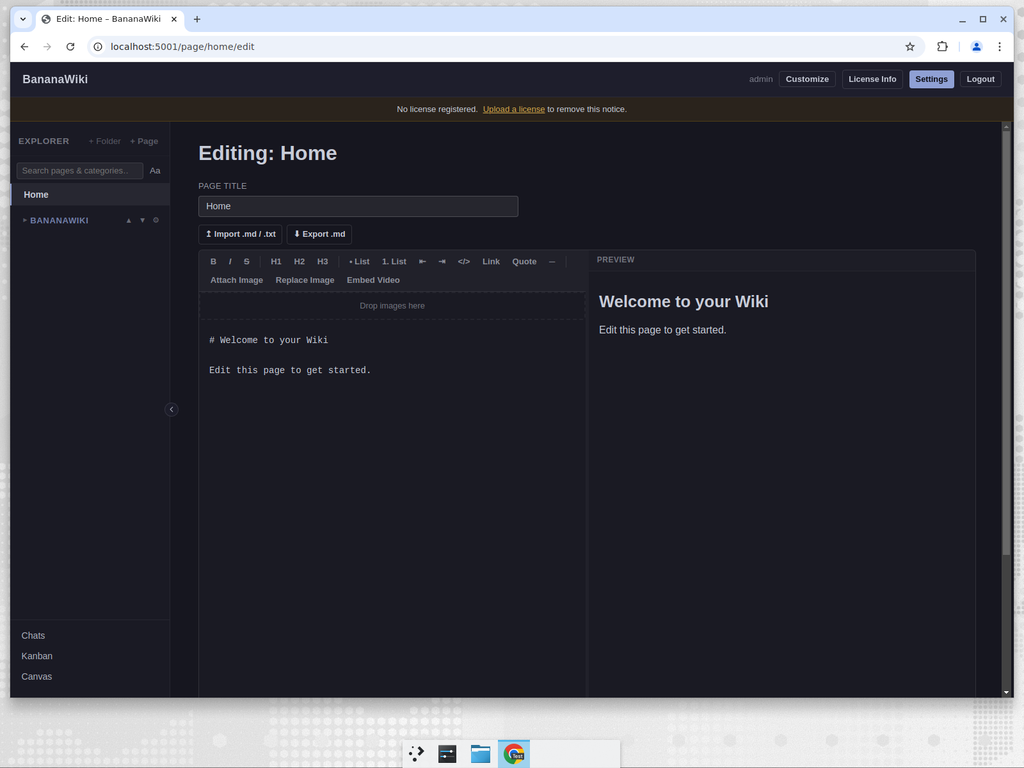
BananaWiki split-pane Markdown editor with live preview Markdown editor with live preview
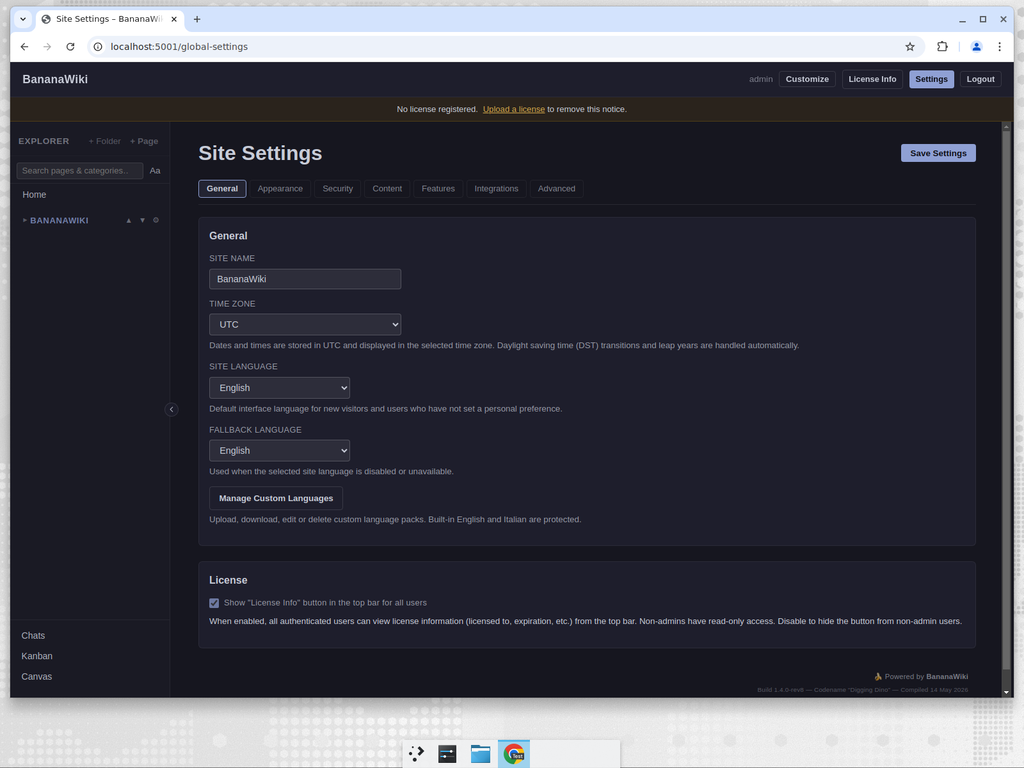
BananaWiki admin site settings with tabbed configuration Admin site settings
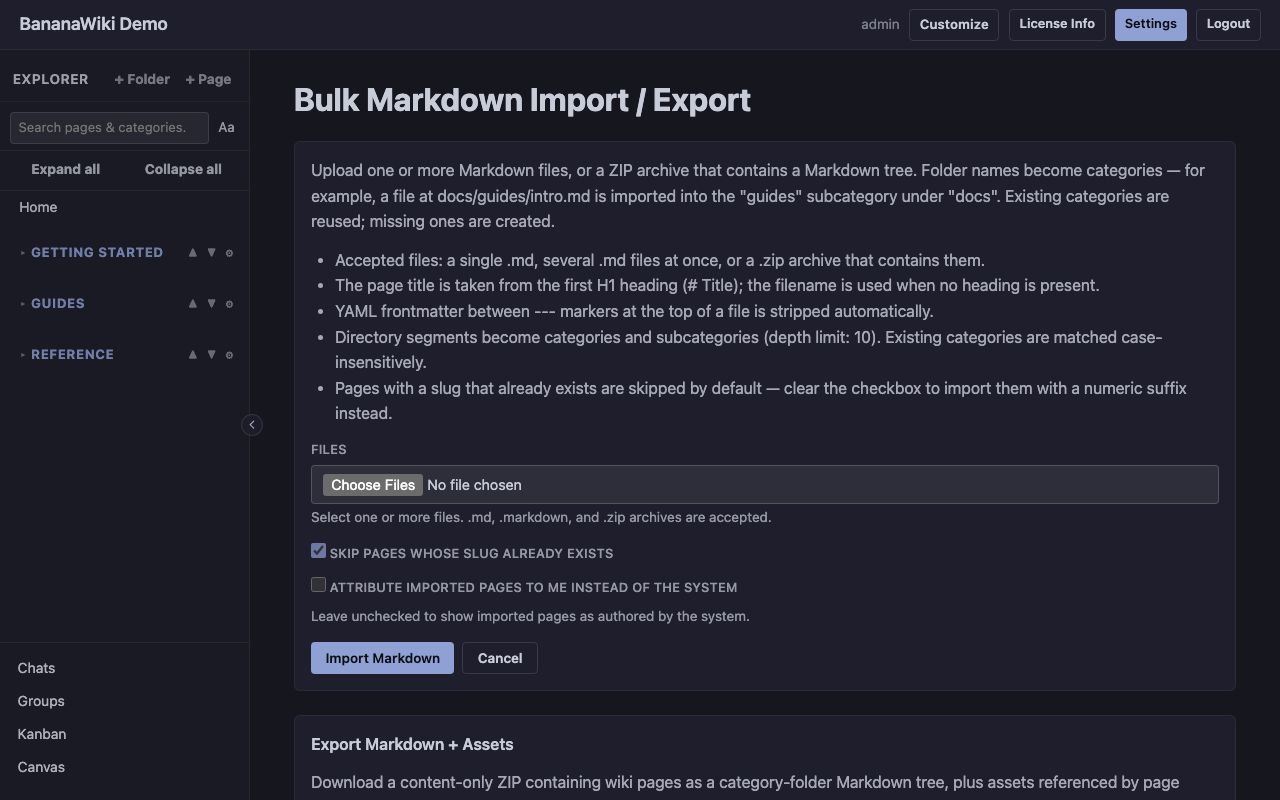
BananaWiki Bulk Markdown screen with import controls and Markdown plus assets export Bulk Markdown import/export
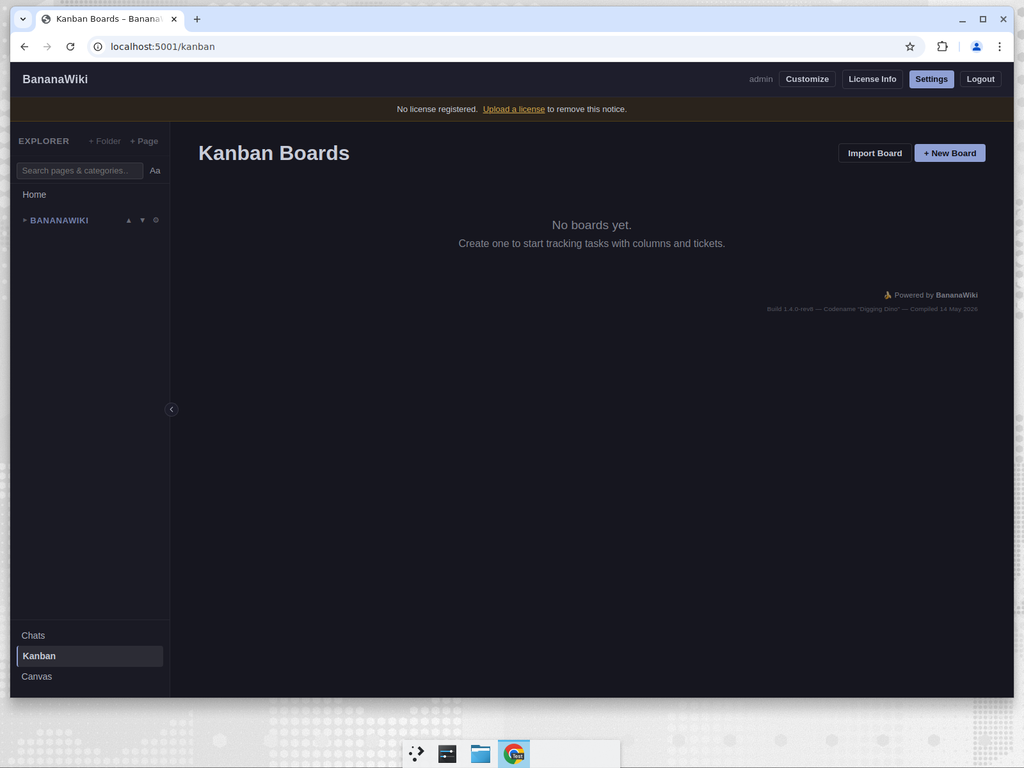
BananaWiki Kanban boards for task management Kanban boards
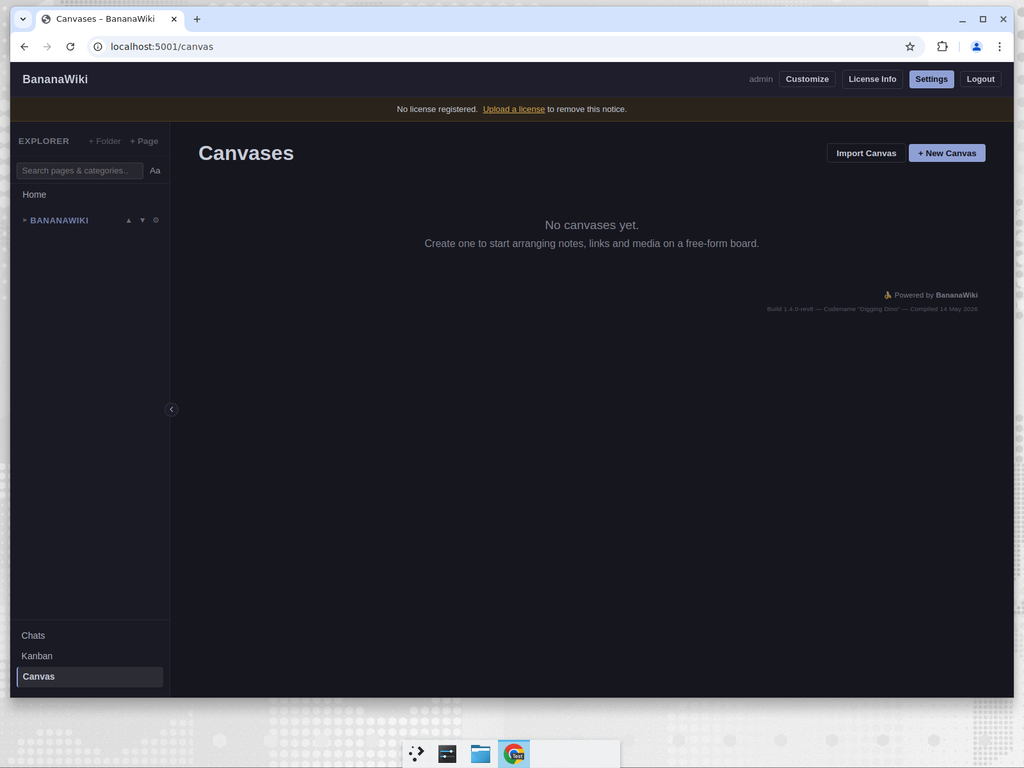
BananaWiki visual canvas for node-link diagrams Visual canvas
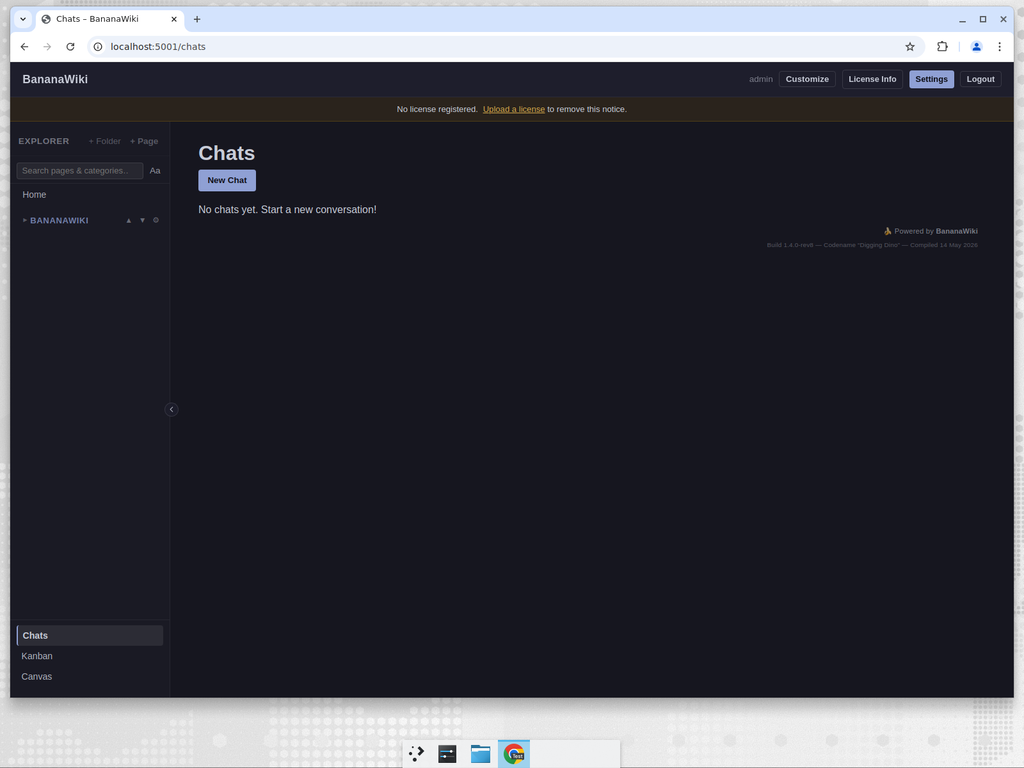
BananaWiki built-in chat system Built-in chats
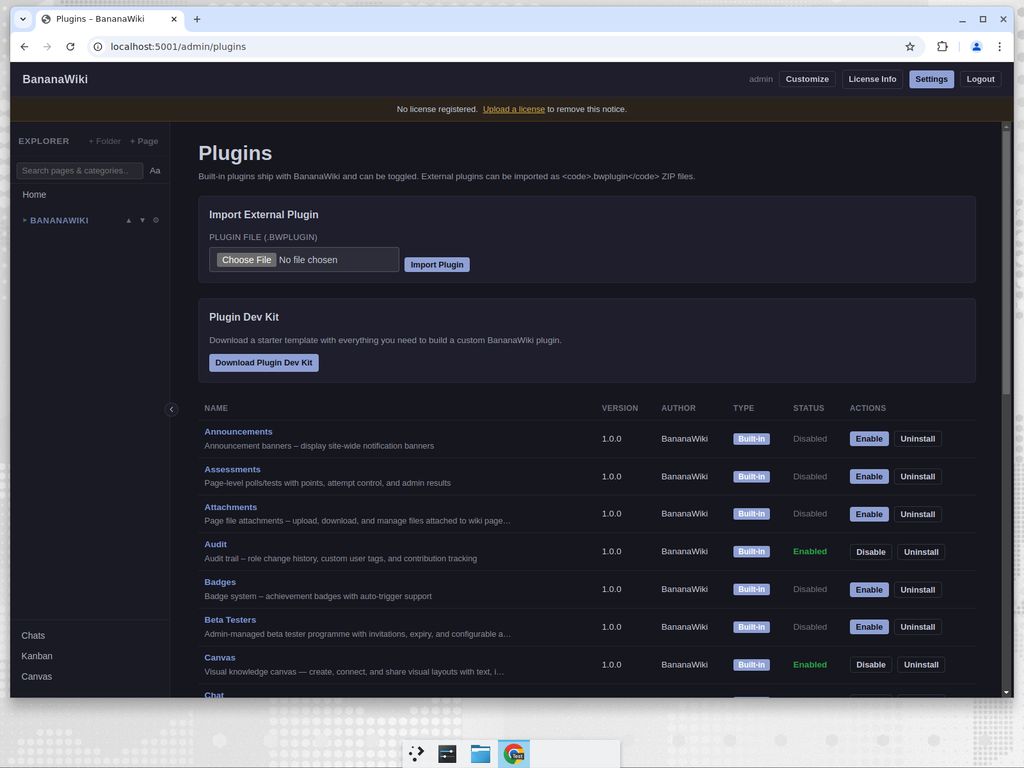
BananaWiki plugins management page showing 33 built-in plugins Plugin management (33 built-in)
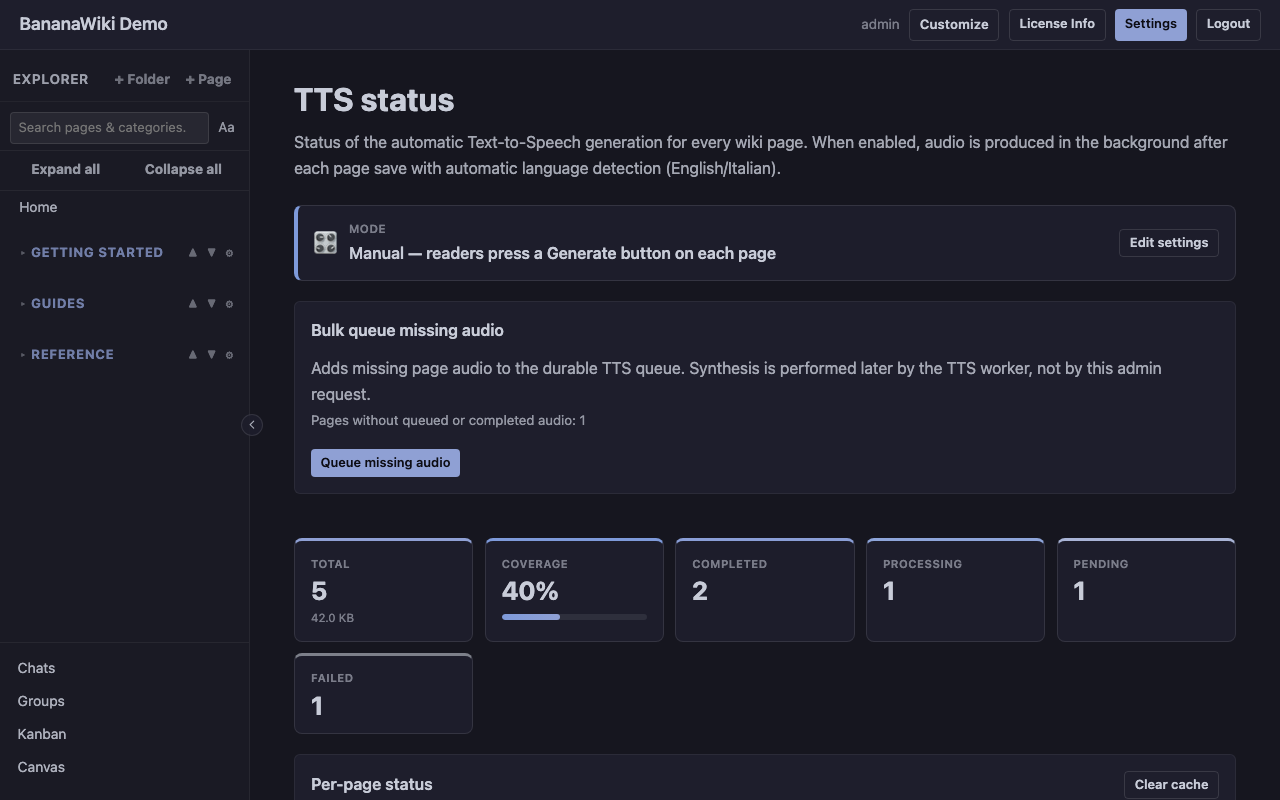
BananaWiki Text-to-Speech status dashboard with generation coverage and per-page rows Text-to-Speech status dashboard
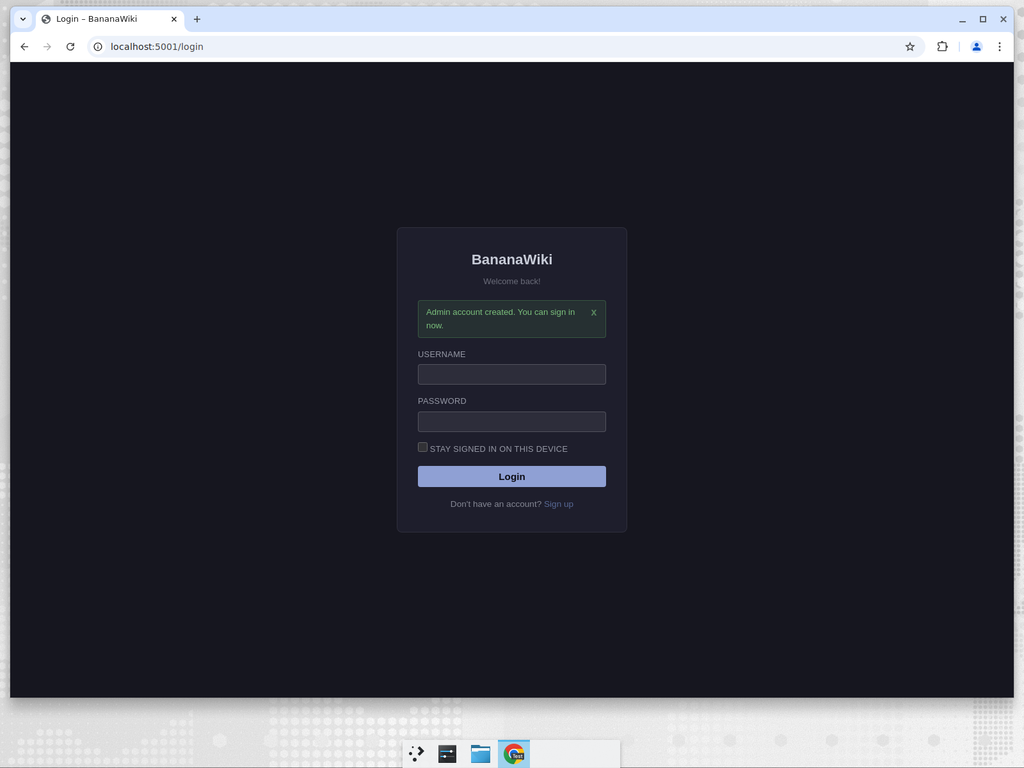
BananaWiki login page Login page

Core Features

The main pieces of the app, shown without the sales pitch.

๐Ÿงญ

Guided first-run onboarding

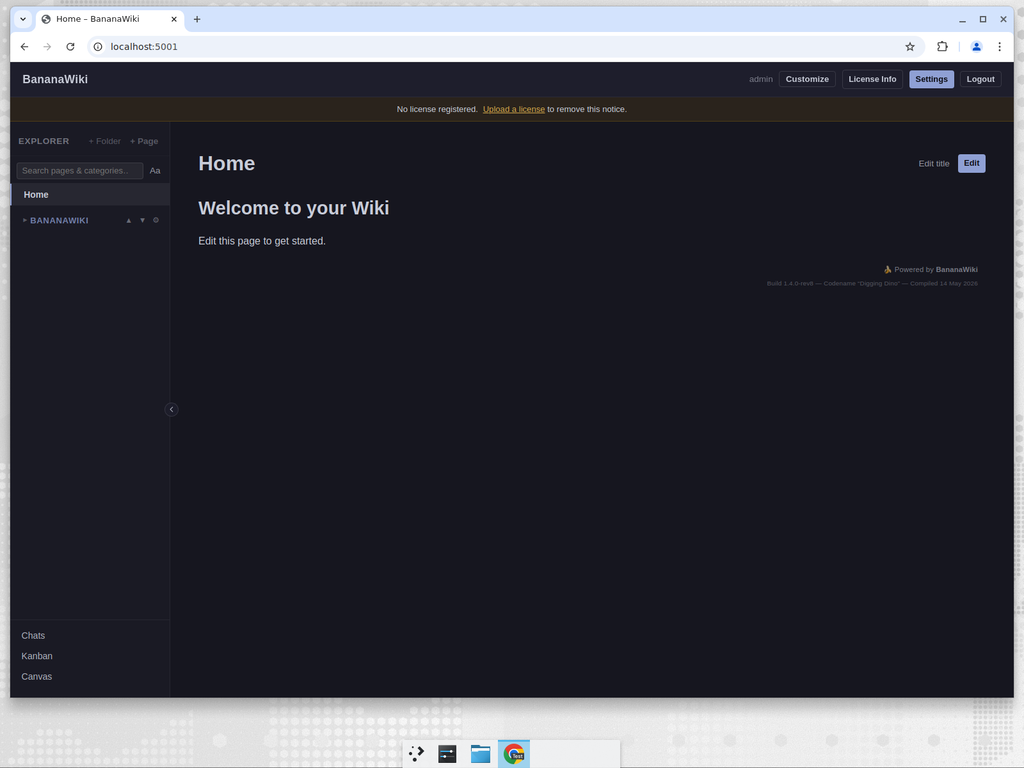
The June 2026 release added an Easy / Advanced setup flow where admins choose starter plugins, access defaults, theme, interface language, and first users before opening a guided tour. Easy mode includes Text-to-Speech by default, with bounded auto-resume for transient generation failures and local Piper worker generation. v1.2.8 adds the Owner role, Easy Wiki view, Developer Tools, and more improvements.

๐Ÿ“น

Video meetings

The built-in Meetings plugin creates video rooms with shareable links, group meeting launch, camera/microphone controls, screen sharing, and in-call chat — enabling real-time collaboration directly from the wiki without external services.

๐Ÿ“ฆ

Easy Deployment App

A portable desktop launcher for non-technical users who need a local standalone wiki without installing Python or running server commands. Creates a bananawiki folder with Start/Stop buttons, data export/import/delete tools, LAN sharing with QR code, internet connectivity detection, and optional classroom network mode for student devices.

๐ŸŽฏ

Role-aware live tour

The tour opens real BananaWiki pages and can preview user, editor, and admin perspectives without changing the viewer’s real permissions.

๐Ÿ‘ฅ

Safer collaborative editing

Active-editor heartbeat APIs show when someone else is already editing a page, while Wiki, Canvas, and Kanban now link more directly so planning work and documentation stay connected. User profiles also gained birthday celebration polish for teams that use profile dates.

๐Ÿ”‘

OAuth SSO & Account Merge

BananaWiki can act as an OAuth 2.0 identity provider so external sites can use it for login, and BananaWiki itself can authenticate via Google, GitHub, or any custom OAuth provider. Administrators can merge two BananaWiki accounts while preserving all data — pages, assignments, badges, and chat history. The account merge flow supports dual approval and a full audit log.

โœ๏ธ

Page editor

The split-pane Markdown editor with live preview, formatting toolbar, image upload modal, and internal-link picker supports draft autosave with conflict detection, sequential chapter-style navigation for course material, and a difficulty-tagging system (beginner / intermediate / advanced) with explorer filters. A smart editor layer adds a table context toolbar (insert/delete rows and columns), a / command menu for quick insertion of headings, tables, code blocks, images, video, links, lists, quotes, and horizontal rules, auto-pairing of brackets and quotes, clear formatting, fullscreen toggle, word/character count, and subscript/superscript formatting.

๐Ÿ—‚๏ธ

Hierarchical categories

Categories are a tree with drag-to-reorder, nested children, expand/collapse-all controls, and per-category permission restrictions. Restrict who can read or edit pages in specific branches of the tree without affecting the rest of the wiki.

๐Ÿ“œ

Full version history with diff

Every page edit creates a snapshot. Browse the page history, view any two versions side-by-side with a diff viewer, and revert to any point with one click. Draft autosave means you never lose work mid-edit.

๐Ÿ“ฆ

Bulk Markdown portability

Admins can import Markdown files or ZIP trees into categories, and now export non-home wiki pages as a category-folder Markdown archive with referenced uploads, page attachments, and a manifest. It is content-only by design, separate from full database backups.

๐Ÿ“Ž

Authenticated attachments

Upload images, PDFs, and files directly into pages. Attachments are served through authenticated Flask routes — never exposed via the static directory. The upload modal handles drag-and-drop, previews, and size validation.

๐ŸŒ

Custom pages at arbitrary URLs

Admin-defined pages on any URL with 19 content types: Markdown, HTML, redirects, file downloads, video embeds, iframe embeds, JSON endpoints, and more. Perfect for landing pages, public resources, and integration endpoints.

๐Ÿ†

Badges & achievements

Award badges manually or via auto-award rules based on user activity. Badges appear on user profiles with a notification system. Contribution heatmaps show recent editing activity.

๐Ÿค–

BananaAI & BananaCAD

Two optional plugins: an AI assistant that drafts pages and answers questions from your own wiki content (bring your own key), and a lightweight 3D CAD viewer for STL, OBJ, and DXF files attached to wiki pages. Both toggleable without a restart.

๐Ÿ“

Assessments & quizzes

Attach quiz blocks to any wiki page with multiple-choice, true/false, and free-text questions. Auto-grading with per-user results tracking. Useful for training material and course assessments at educational organisations like Canalescuola.

๐Ÿ”Š

Text-to-Speech narration

Generate downloadable MP3 narrations of wiki pages on demand. Italian and English voices are available, and disabled plugin states now hide and block the feature cleanly.

Core features

The main wiki, planning, media, and admin features.

๐Ÿ“

Wiki Pages

Markdown editor with live preview, formatting toolbar, image upload modal, and internal-link picker. Full edit history with snapshot viewing and revert. Hierarchical categories with drag-to-reorder.

  • Markdown with live preview
  • Authenticated attachments
  • History and revert
  • Difficulty tags
  • Sequential navigation
  • Draft autosave
  • Smart editor โ€” table toolbar, / command menu, auto-pairing, fullscreen, word count, sub/superscript
๐ŸŽจ

Canvas

Visual canvas for creating node-link diagrams directly inside BananaWiki. Each layout is a JSON graph of nodes and edges you can arrange, connect, and export. Nodes can reference wiki pages, external links, images, videos, and free text.

  • Nodes: text, wiki pages, links, images, video
  • Edges with labels
  • Persistent viewport
  • Wiki page integration
  • .canvas.json export
  • Per-layout permissions
๐Ÿ“‹

Kanban

Built-in Kanban boards for visual task and project management. Boards with columns, tickets with Markdown description, priority, assignee, due date, attachments, edit history, and threaded comments.

  • Drag-and-drop between columns
  • Tickets with Markdown
  • Priority, assignees, due dates
  • Attachments and comments
  • Per-user/role sharing
  • Automatic default columns
๐Ÿ’ฌ

Collaboration

Direct and group chats with attachments, user profiles with avatar, bio and contribution heatmaps, badge system with notifications and auto-award, site-wide announcements.

๐Ÿ”’

Administration

Four role tiers (user, editor, admin, owner), granular per-user permissions, category restrictions, maintenance mode, invite codes, full ZIP export/import, automated Telegram backups, account merge, and license management.

๐Ÿงฉ

33 Built-in Plugins

Toggle plugins without a restart: announcements, assessments, attachments, audit, badges, BananaAI, BananaCAD, canvas, chat, custom pages, difficulty tags, drafts, easter egg, groups, kanban, meetings, page history, Telegram sync, temporary accounts, text-to-speech, and more. Public SDK (bananawiki_sdk) for third-party plugins.

๐ŸŒ

Custom Pages

Admin-defined pages at arbitrary URLs with 19 content types: Markdown, HTML, redirects, file downloads, video embeds, and more. Ideal for landing pages and public resources.

๐Ÿ”Š

Text-to-Speech

Generate shareable MP3 narrations of wiki pages on demand. Italian and English voices available, with disabled-state hardening so the window never opens empty when the plugin is off.

Plugin Catalog

33 first-party plugins ship in the box, every one toggleable from Admin โ†’ Plugins without a server restart.

๐Ÿค–
BananaAI flagship
In-wiki AI assistant for drafting pages and answering questions from your own content.
๐Ÿ“
BananaCAD flagship
Lightweight CAD viewer for STL, OBJ and DXF uploads attached to wiki pages.
๐Ÿ“ฃ
Announcements core
Site-wide banners with expiry, audience targeting, and dismiss tracking.
๐Ÿ”‘
API Service core
Token-based REST API, audit logging, bulk operations, and programmable admin controls.
๐Ÿ“
Assessments core
Quiz blocks attached to wiki pages with auto-grading and per-user results.
๐Ÿ“Ž
Attachments core
Authenticated file uploads served through Flask, never the static dir.
๐Ÿ“œ
Audit Log core
Tamper-evident timeline of admin actions, logins and permission changes.
๐Ÿ…
Badges core
Award badges manually or via rules; notifications and per-profile display.
๐Ÿงช
Beta Testers core
Invite-and-accept programme to roll out experimental features safely.
๐Ÿชช
BananaWiki OAuth Provider core
Turn BananaWiki into an OAuth 2.0 identity provider for external sites.
๐ŸŽจ
Canvas core
JSON-graph visual layouts: nodes for pages, links, images, video, free text.
๐Ÿ’ฌ
Chats core
Direct & group messaging, attachments, moderation, banned-word filtering.
๐ŸŒ
Custom Pages core
Admin pages on arbitrary URLs with 19 content types — redirects, embeds, downloads, etc.
๐Ÿงฏ
Deletion Slowdown core
48-hour grace period before permanent page deletion, with admin restore tools.
๐ŸŽš
Difficulty Tags core
Tag pages with skill levels (beginner / intermediate / advanced) and filter the explorer.
๐Ÿ’พ
Drafts core
Auto-save drafts with conflict detection so you never lose work mid-edit.
๐Ÿช™
EA Mode fun
Credit-cost satire mode with balances, borrowing, and admin grants.
๐Ÿฅš
Easter Egg core
A small hidden page rewarding curious admins. Toggle off to remove.
๐Ÿ’Œ
Feedback core
Per-page user feedback with moderation queue, bans, and admin replies.
๐Ÿ—‚
File Manager core
Browser-based server file manager with browse, download, edit, rename, and move tools.
๐ŸŒฟ
Git Override core
Git-style overlay for wiki pages: commit logs, blame views, and contribution networks.
๐Ÿ“‹
Kanban core
Boards, columns, tickets with Markdown, attachments, comments, priorities.
๐Ÿ“น
Meetings core
Video meeting rooms with shareable links, group launch, camera/mic controls, screen sharing, and in-call chat.
๐Ÿ”ฅ
Linus Torvalds Overdrive fun
Opinionated page-quality reviews, performance dashboards, and flame-war detection.
๐Ÿ”
OAuth Login core
Sign up or log in using Google, GitHub, or custom OAuth providers.
๐Ÿงญ
Page Governance core
Reservations, page protection, and contribution approval for controlled editing.
๐Ÿ•ฐ
Page History core
Per-page version history with snapshots, diff viewer and one-click revert.
๐Ÿ“จ
Telegram Sync core
Automatic encrypted backups to a Telegram chat — split-size, compression, attachment toggles.
โณ
Temporary Accounts core
Auto-expiring user accounts and roles for class sessions or guest visits.
๐Ÿ”Š
Text-to-Speech core
Generate downloadable MP3 narrations of any wiki page. Italian + English voices, Easy onboarding default, disabled-state hardened.
๐Ÿ“บ
Terry Davis Mode core
Ode to TempleOS — a high-contrast retro theme switchable per session.
๐Ÿ“ฆ
User Data Export core
Download all personal data as a ZIP archive.
๐Ÿชช
Profiles & Heatmaps core
User profile pages with avatar, bio and a GitHub-style contribution heatmap.

The canonical list lives in the plugins/builtin/ directory.

Hosting Platform

The hosting app can run separate BananaWiki instances for different users or teams on one server.

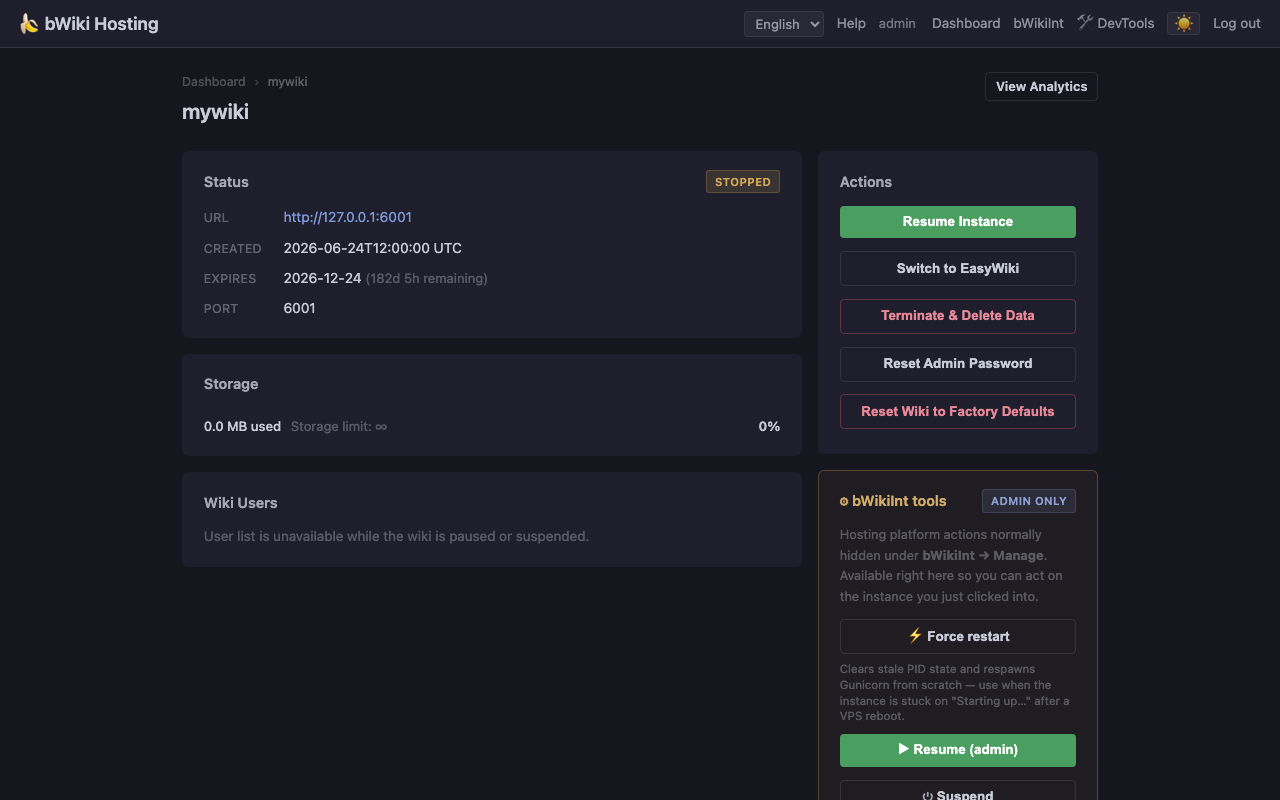
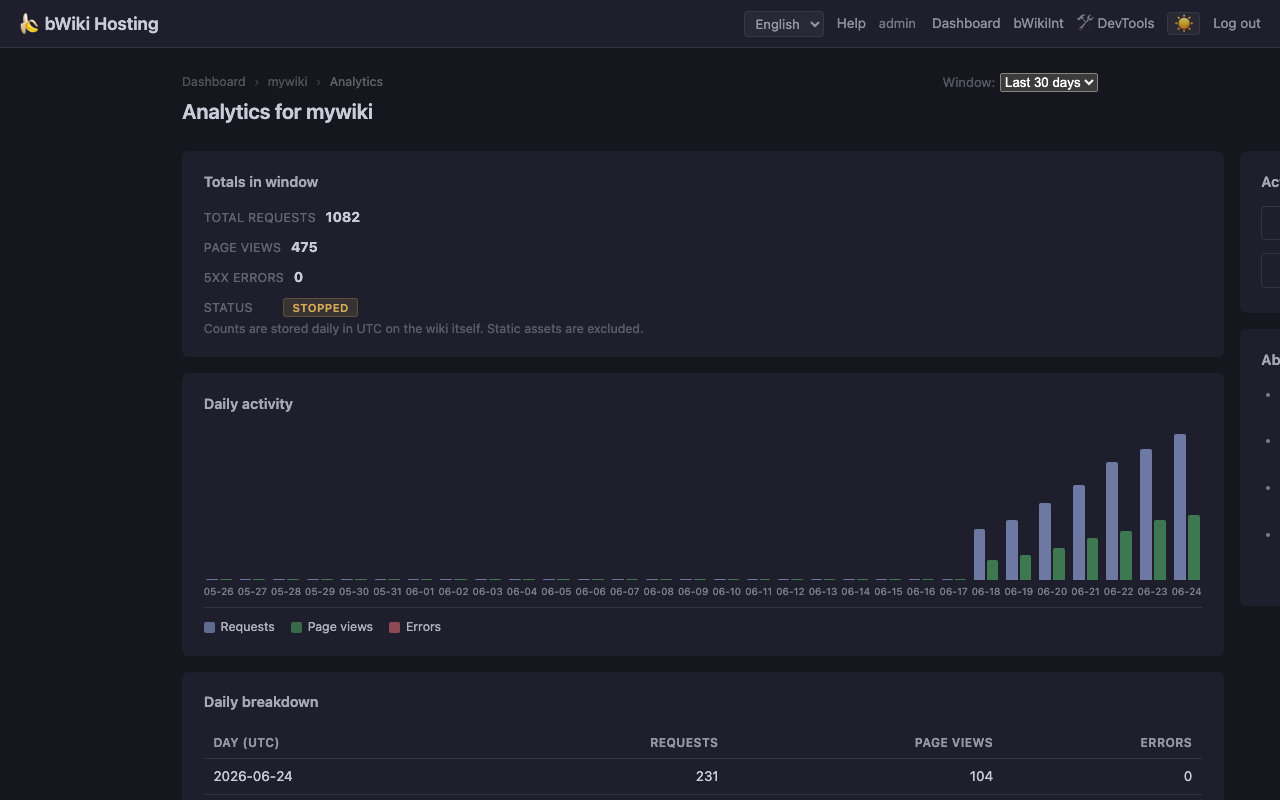
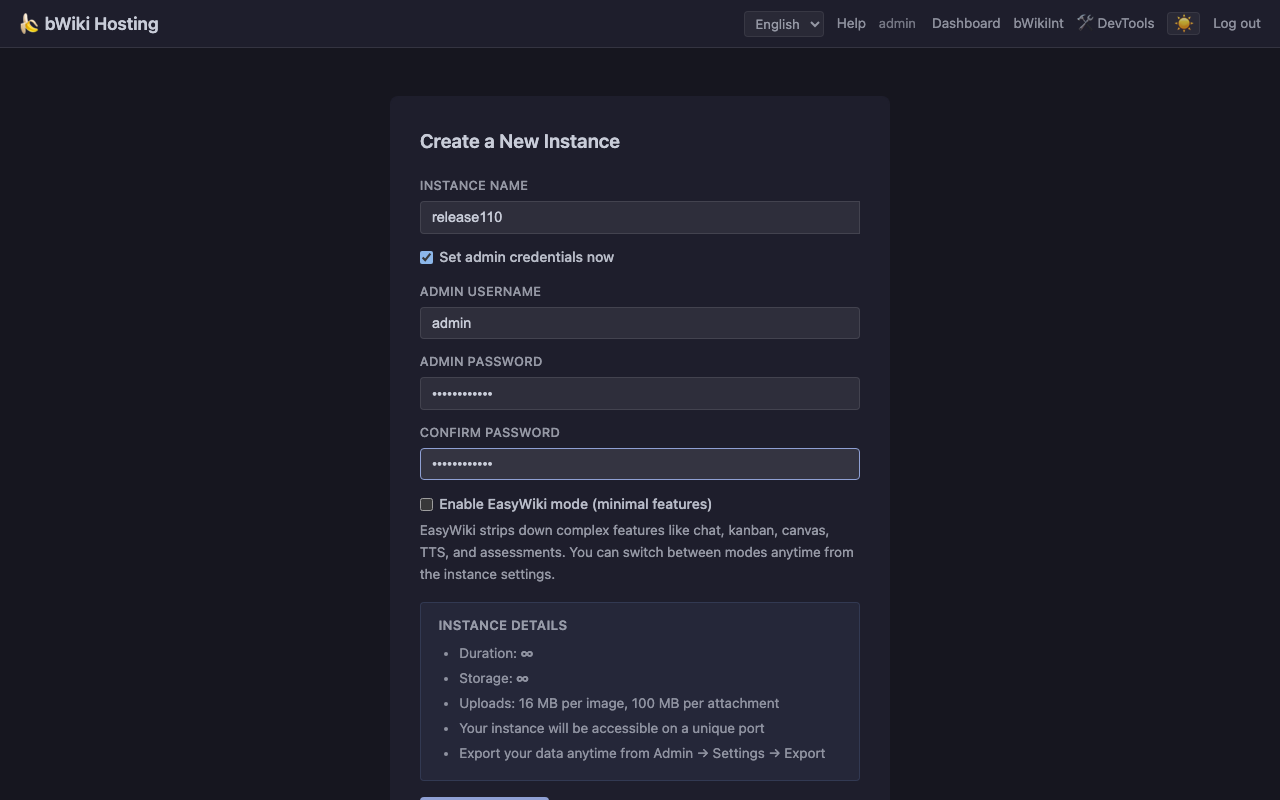
Built June 24 2026 (v1.2.8 "Push It to Git"). The screenshots below were regenerated from local BananaWiki and hosting routes: dashboard, admin console, instance detail, analytics, and creation flow.
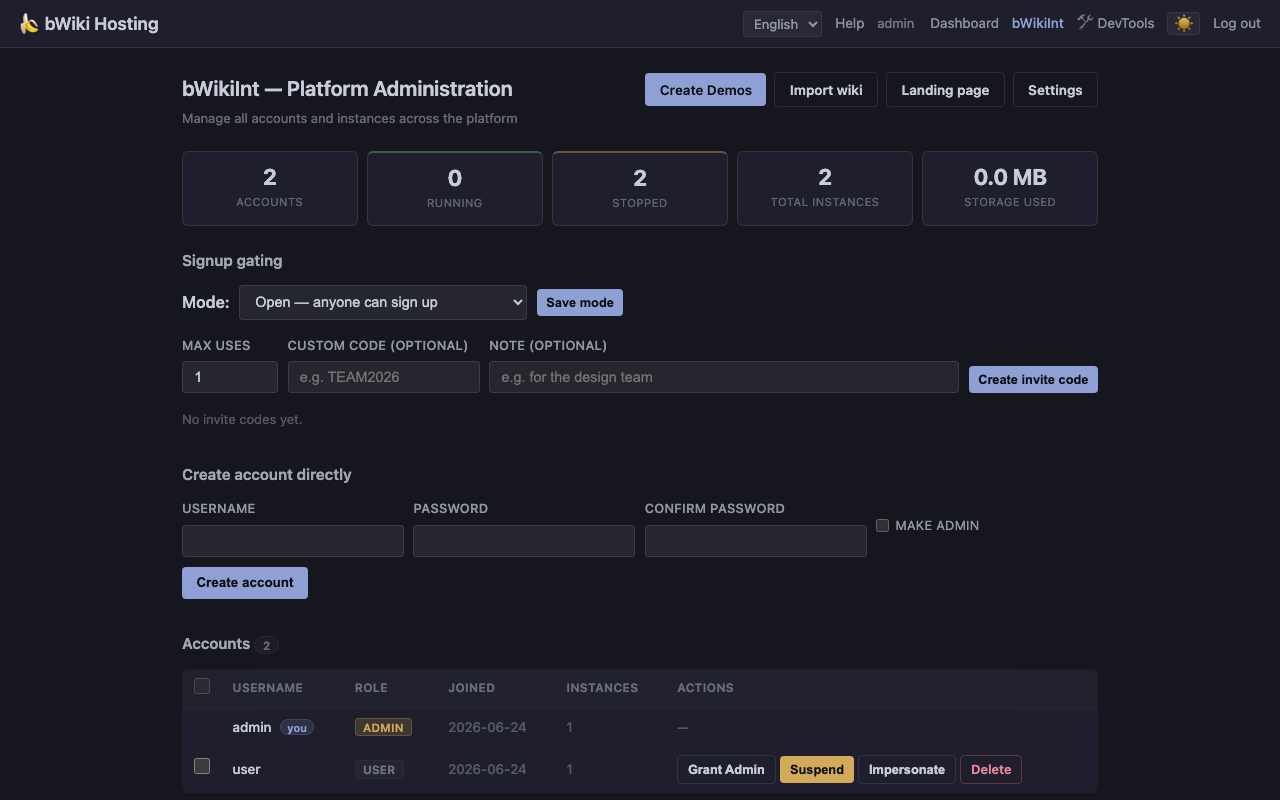
bWiki Hosting admin dashboard with platform-wide stats, invite codes, and account management Admin dashboard
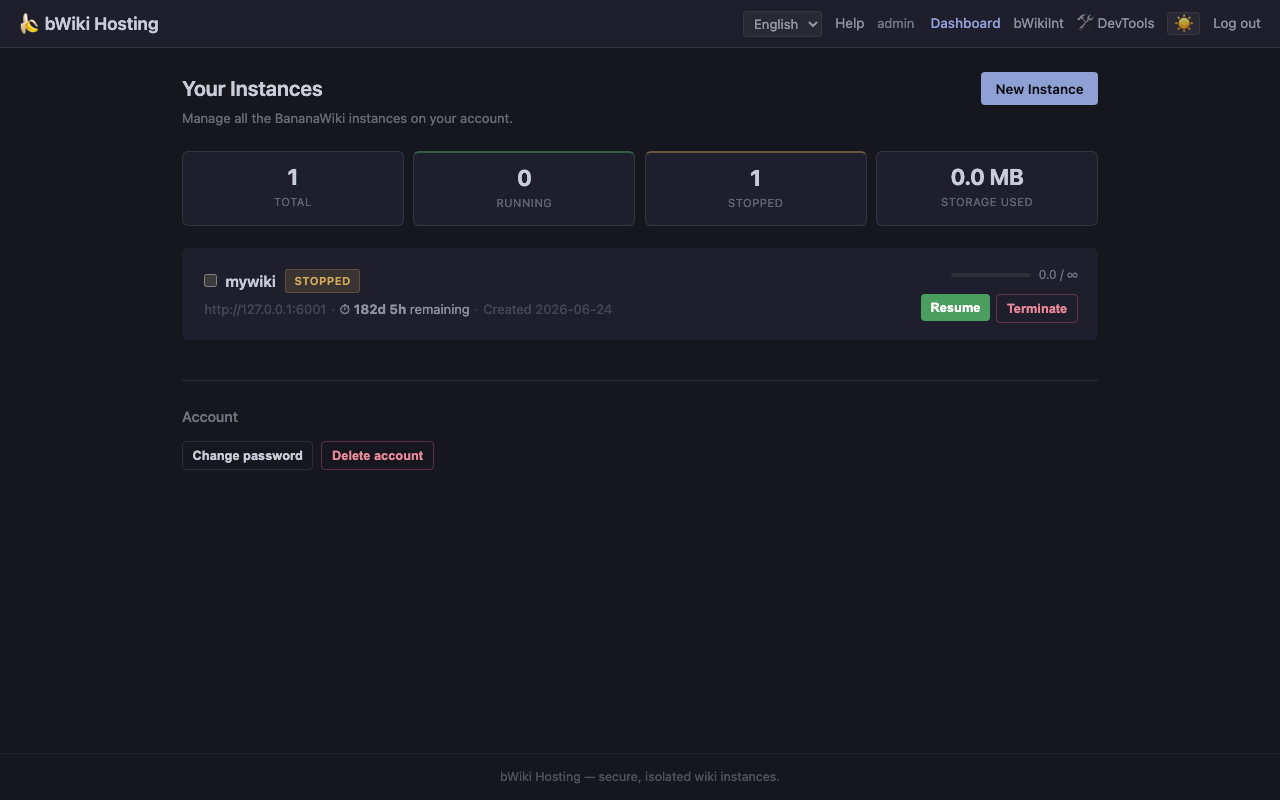
bWiki Hosting instance detail page with status, admin tools, and analytics link Instance detail & admin tools
bWiki Hosting per-instance analytics charts showing requests, page views, and errors Per-instance analytics
bWiki Hosting new instance creation form Create new instance

๐Ÿ  Isolated Wiki Instances

Each wiki instance runs as an independent BananaWiki process with its own SQLite database, upload directory, and administrator account. Instances do not share runtime data, uploads, or admin users.

๐Ÿงช Internal Testing

Internal users at Canalescuola and associated collaborators can create wiki instances on the hosting platform for testing or internal use.

๐Ÿ‘ค One Instance Per User

Users sign up on the hosting portal, create a wiki instance, and get a unique URL to access it. Each person (or team) can have up to 5 instances by default, with configurable quotas, storage limits, and expiry dates.

๐ŸŽจ Per-User Theme

Each user can toggle between dark and light themes from the navigation bar. The preference is persisted per account and applies immediately across all hosting pages without a page reload.

๐Ÿ”ง Two Deployment Modes

Port mode — each instance gets a unique port (e.g. http://your-server:6001). No domain or DNS required, works anywhere. Subdomain mode — each instance gets a subdomain (e.g. https://myteam.wiki.example.com). Requires wildcard DNS.

1,000
Max instances per server
500 MB
Default storage per instance
5
Instances per user account
0
External services required

Hosting details

The hosting app manages accounts, isolated wiki instances, health checks, analytics, licenses, demo presets, and admin actions from a browser interface.

๐ŸŽ›๏ธ

Instance Management

Stop, restart, terminate, force-restart, duplicate, or transfer ownership of any instance. Set custom expiry dates, extend trials, or make licenses indefinite. Restore terminated instances from grace-period archives. View live Gunicorn logs per instance without SSH. Every operation is audited in a tamper-evident log.

๐Ÿšซ

Suspension System

Permanent or timed suspensions with configurable duration, visible or invisible reasons, and countdown display. Suspension automatically shifts expiry forward so users never lose trial days. Full audit trail of every suspension action.

๐Ÿ‘ฅ

User Management

Create accounts directly, promote or demote admins, suspend or delete accounts with automatic instance cleanup. Timed suspensions can include visible or hidden reasons and expire automatically. Bulk operations manage multiple accounts or instances at once, with invite-code signup control and per-code usage limits.

๐Ÿ“„

Landing Page Editor

Built-in file browser and inline editor for managing the public-facing website. Upload files, create directories, edit HTML/CSS/JS/Markdown directly from the browser. No SSH or external deployment pipeline needed.

๐Ÿ”‘

License Management

Auto-generated Ed25519-signed trial licenses for new instances. Generate, upload, assign, revoke, or make licenses perpetual. Upload existing license files or create fresh ones with custom names, validity periods, and notes.

๐Ÿ“Š

Per-Instance Analytics

Daily request count, page views, and error charts for each hosted wiki. 1 to 365 day rolling window. Identify usage patterns and troubleshoot issues at a glance.

๐ŸŽญ

Demo Presets

Five pre-built themed wiki templates (Administration, Students, Company, Event, School) with articles, Kanban boards, and Canvas diagrams. Create a sample instance for demos or testing.

๐Ÿ“ฆ

Instance Import

Import existing BananaWiki ZIP backups as new hosted instances. Three archive formats supported with automatic detection. The import process handles database restoration, attachment extraction, and port assignment without manual intervention.

๐Ÿงฏ

Free-tier bandwidth fuse

The optional ops kit monitors monthly outbound traffic on Azure VMs and can stop the instance before free-tier bandwidth becomes billable. It ships with systemd units, dry-run mode, and recovery instructions.

bWiki Hosting create instance form with subdomain, domain mode, and admin credentials Instance creation — quota-aware provisioning from the browser
bWiki Hosting instance detail showing owner controls, status, and admin tools Instance operations — owner controls and admin tools in one view
bWiki Hosting analytics page with request and error charts Operational analytics — traffic, page views, and errors per wiki
bWiki Hosting admin dashboard with platform stats, accounts, and invite codes Platform administration — accounts, invites, and instance controls

Internal Tools & Infrastructure

Operational screens and background jobs for running BananaWiki and the hosting platform on a single server.

Admins can manage runtime settings, plugin availability, TTS generation state, hosted instances, analytics, invite codes, licenses, and recovery actions from the browser.
BananaWiki admin settings screen with configuration panels Wiki administration — settings, policy, backups, and runtime controls
BananaWiki plugin management table with built-in plugin toggles Plugin management — built-in tools can be toggled by admins
BananaWiki Bulk Markdown import and export page Bulk Markdown — content export/import for pages and assets
BananaWiki TTS status page with completed, processing, pending, and failed generation cards TTS status — generation state, cache state, and retries
BananaWiki kanban board with columns and tickets Kanban — boards and tickets inside the wiki
BananaWiki canvas diagram with nodes and links Canvas — diagrams and planning boards inside BananaWiki
๐Ÿฉบ

Instance Health Monitor

A background thread probes all running instances every 5 minutes. PID validation uses boot-id tracking and /proc/{pid}/cmdline verification to detect PID reuse after reboots. Automatic recovery, lazy-recovery escalation, and post-restart health watches help restart unhealthy instances.

โšก

Subdomain Reverse Proxy

WSGI middleware that routes *.BASE_DOMAIN requests to the correct instance port. Per-instance circuit breakers trip after repeated failures and serve a branded “Starting up…” splash in under 1 ms. Concurrency caps prevent a single slow instance from starving the platform. It reads the hosting platform data model and routes requests without requiring per-instance nginx files.

๐Ÿ“จ

Telegram Backup Engine

Change-driven backups with smart priority-based debouncing. Large ZIP archives are automatically split for Telegram’s 20 MB limit and streamed to avoid loading entire files into RAM. Circuit breaker stops hammering the API after consecutive failures. Configurable daily scheduled backups. The engine watches for data mutations and triggers backups at the configured priority level.

๐Ÿ“ฆ

Instance Lifecycle Manager

Spawns Gunicorn processes per instance with isolated ports, data directories, and PID files. Global semaphore (16 concurrent operations) prevents resource exhaustion. Full sqlite3.backup() for duplication, ZIP import in three formats, and quota policy engine for admin vs. user limits. Instance creation, startup, shutdown, and termination are all managed through a single orchestrator that respects concurrency limits and cleans up on failure.

๐ŸŽญ

Demo Presets

Five themed wiki templates (Administration, Students, Company, Event, School) with sample articles, Kanban boards, Canvas diagrams, categories, and users.

๐Ÿ›ก๏ธ

Security Layer

CSRF protection on every mutation, bot protection with honeypot fields and timing tokens, constant-time password comparison, rate limiting per IP and per user, CSP nonces on all inline scripts, path-traversal-proof file operations, and tamper-evident audit logs. The security layer spans both the wiki and the hosting platform — the same discipline applied consistently across both applications.

๐Ÿ”‘

Ed25519 License Signing

Every new instance receives a cryptographically signed trial license generated with Ed25519. Licenses encode the instance name, validity period, and software author — verifiable offline without a database lookup. The admin console lets you generate, assign, revoke, and extend licenses, or make them perpetual for permanent deployments.

๐Ÿ“Š

Request Analytics Pipeline

A lightweight middleware records every HTTP request into per-instance SQLite tables. The analytics page aggregates daily request counts, page views, and errors over a configurable 1–365 day window. No external analytics service, no JavaScript tracking — just server-side request counting that respects privacy by design.

Architecture & Privacy

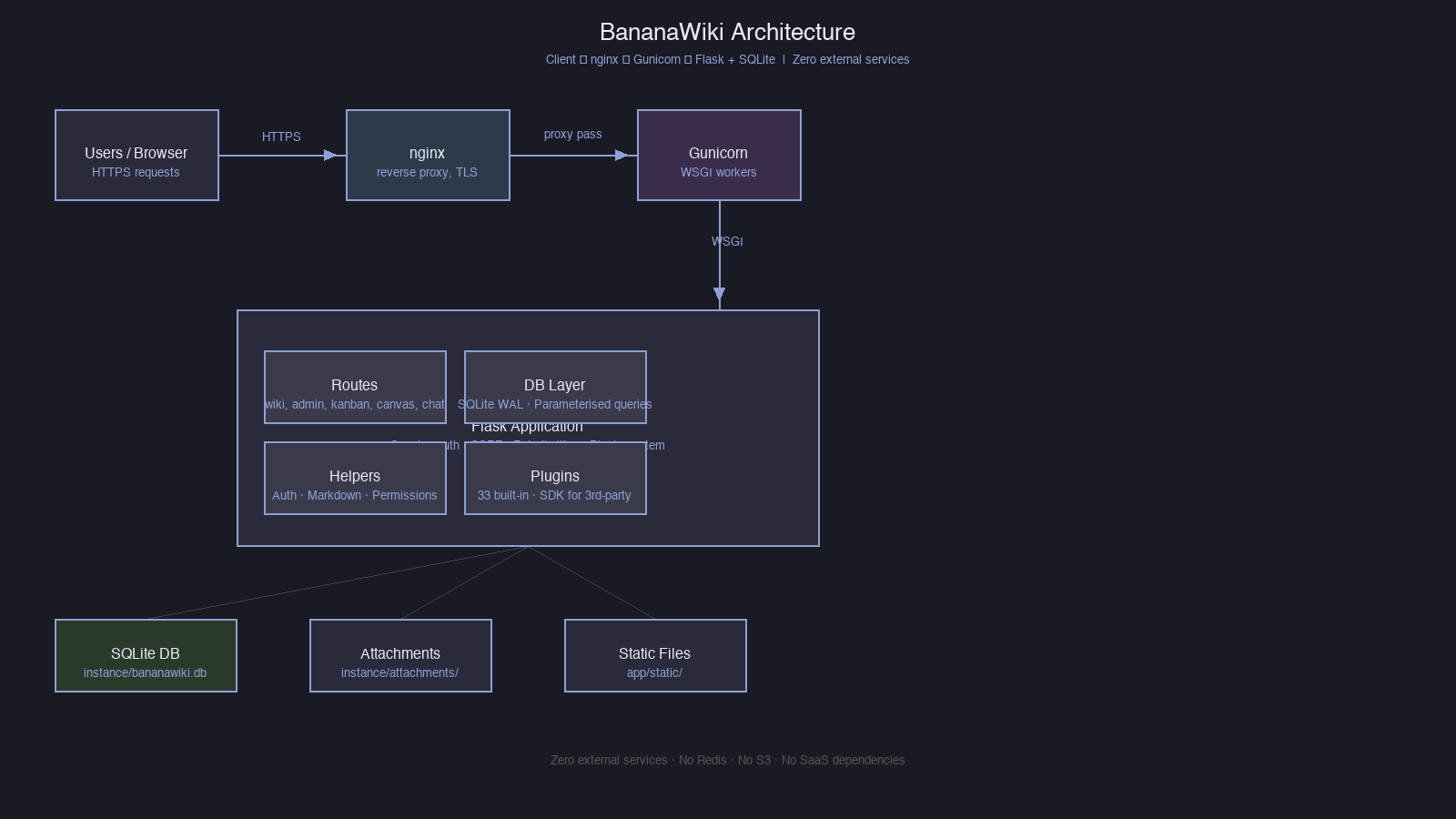
BananaWiki is deliberately boring infrastructure. One Flask app, one SQLite file, no message broker, no external job queue, no SaaS dependency.

๐Ÿงฑ Single-process stack

The whole wiki is one Flask 3.1 application. SQLite runs in WAL mode for concurrent reads, Gunicorn handles workers in production, and an optional nginx fronts TLS. There is nothing to scale horizontally on day one — vertical scaling on a small VPS is the supported path.

  • One Python process per instance
  • SQLite WAL — concurrent reads, serialised writes
  • No Redis, RabbitMQ, Celery, S3, or external KV

๐Ÿ›ก Defence in depth

Sessions plus werkzeug password hashing, CSRF tokens on every mutating form, role-aware route decorators, per-route rate limiting, banned-word filtering on user-generated content, and a tamper-evident audit log of admin actions.

  • CSRF tokens enforced server-side
  • Per-route rate limiting (in-memory)
  • Markdown sanitised with Bleach
  • Single-session mode and lockdown mode

๐Ÿ”’ Your data stays yours

BananaWiki does not call home, does not load third-party analytics, and does not ship with telemetry. Optional integrations (Telegram backups, BananaAI) are explicitly opt-in and configured by the admin from Site Settings.

  • No analytics, no tracking pixels
  • No licence check phoning home
  • Backups stay where you put them
  • Source code AGPL-3.0

๐Ÿฉบ Operations

Ship-it-on-a-Tuesday operations: one-click server restart from Admin โ†’ Site Settings โ†’ Advanced with 60s cooldown, full ZIP export & import with three conflict modes, content-only Bulk Markdown export/import for page trees and assets, automated Telegram backups, plus a Banana Mode API for diagnostics.

  • One-click nginx + Gunicorn restart
  • ZIP export & import with merge strategies
  • Bulk Markdown export/import for page trees and assets
  • Automated Telegram backup snapshots
  • Diagnostic Banana Mode API

Role System

Granular access control with four progressive tiers, plus per-user permission overrides and per-category restrictions on top.

1

User

Read-only access to wiki pages, canvas, and shared kanban boards. Can comment, react, and edit their own profile.

2

Editor

Everything users can do, plus create, edit and delete wiki pages, manage categories, and run page checkout reservations.

3

Admin

Full management: users, site settings, plugins, backups, import/export, audit log, restart server, and announcements.

4

Protected Admin

An admin who cannot be demoted, deleted, password-reset or kicked out by other administrators — safety latch for the founding admin.

Frequently Asked Questions

The short answers. Longer answers live in the docs/ directory.

Is BananaWiki free? What's the licence?
Yes — BananaWiki is free and open source under AGPL-3.0. You can use it, modify it, and self-host it without paying anything. If you offer it as a network service you must publish your modifications under the same licence.
Do I need cloud services to run it?
No. The whole stack is one Python process and one SQLite file. A small VPS, a mini PC, or even a Raspberry Pi is enough. Optional integrations like Telegram backups or BananaAI are opt-in and never required.
How does the hosting platform compare to running it myself?
The hosting platform (hosting/) is itself a separate Flask app that spawns isolated BananaWiki instances per user account. Each instance gets its own SQLite DB, upload dir, and admin account, identical to a manual self-host. It exists for teams that want one server to host many independent wikis without manually managing each.
Can I migrate from another wiki?
Yes for Markdown trees. Admins can use Bulk Markdown Import to upload Markdown files or ZIP archives, and export non-home pages with referenced assets from the same screen. Full-site ZIP import/export is also documented in docs/operations.md.
How big can a single instance get?
SQLite is a practical fit for small and medium wikis. The hosting platform caps instances at 500 MB by default, but this is configurable per instance from Admin โ†’ Manage or from the instance detail page.
Does it work offline / on an air-gapped network?
Yes. No CDN, no external font, no third-party analytics, no licence check. Everything is bundled with the install. The only network egress is whatever you turn on (Telegram backups, BananaAI API calls, etc.).
Where do I report bugs or request features?
Contact the development team directly. Contributions are welcome — see the "Contributing" section in the README.
How is it tested?
The repo ships with a pytest suite of 3,100+ tests covering routes, permissions, plugins, the hosting platform, and migrations. Run them with make test (full suite, ~16 minutes) or python -m pytest tests/<file>.py -v for a single module.

The Story

February 2026

BananaWiki is born

Luca Zani, a high-school student, starts building BananaWiki as part of his PCTO (Percorsi per le Competenze Trasversali e l'Orientamento) at Canalescuola in Bolzano. The Officina Tecnologica, Canalescuola’s technology lab, needed a platform to deliver technical material to students on courses in welding, 3D printing, laser cutting and other technology disciplines.

Feb–May 2026

Active development

Luca develops the software on-site at Canalescuola during his PCTO. The project grows to include a Markdown editor, 4-tier permission system, chat, kanban, canvas, 32 built-in plugins, and an SDK for external plugins. The work counts toward Luca's PCTO hours and gives Canalescuola a wiki platform for its labs.

May 2026

Internal use & open source

BananaWiki is used internally at Canalescuola and by associated collaborators. The hosting platform enables multi-tenant deployment with isolated wiki instances per user. Luca and Canalescuola remain good friends and collaborators.

June 2026

Owner role, Easy Wiki mode & Developer Tools

Version 1.2.8 introduces the Owner role (replacing protected_admin), Easy Wiki view with simplified wiki/kanban/canvas modes, EasyWiki hosting mode, and a comprehensive Developer Tools suite (13 tools for wiki, 16 for hosting). MP5/MP7 audio/video format support, automatic image upload on canvas, improved leaderboard, enhanced profile pages, new Comune demo preset, and refined settings UI.

June 2026

OAuth SSO, account merge & Easy Deployment improvements

Version 1.2.6 introduces OAuth 2.0 identity provider (BananaWiki can both authenticate via external providers and act as an identity provider for external sites), account merge feature for administrators, Easy Deployment App data management (export, import, delete), internet connectivity detection, build expiry dates, and TTS performance mode via environment variable. Light mode bugs fixed across login page, Kanban, and Canvas. CI pipeline and packaging improvements.

June 2026

Release polish and onboarding

The June work focuses on making the first run clearer and day-to-day collaboration safer: onboarding, the live role-aware tour, active-editor indicators, category expand/collapse controls, Text-to-Speech disabled-state hardening, local Piper worker generation, better Wiki / Canvas / Kanban links, hosting-platform recovery and archive-export improvements, migration tooling polish, video meetings, and a portable Easy Deployment App.

Changelog

Monthly highlights from the project history. See CHANGELOG.md and HISTORY.md in the repository for the full version-by-version breakdown.

June 2026

Owner role, Easy Wiki mode & Developer Tools

v1.2.8 โ€” "Push It to Git": Owner role replaces protected_admin across 79 files. Easy Wiki view with simplified wiki/kanban/canvas modes. EasyWiki hosting mode with per-instance toggle. Developer Tools: 13 tools for wiki (cache manager, DB health, error log, markdown sandbox, page diff, page query, permission debug, plugin graph, rate-limit test, search rebuild, session inspector, template debug, user timeline, webhook tester) and 16 for hosting (backup manager, bulk actions, config diff, DB inspector, DB migration, DNS checker, instance cloner, log viewer, performance profiler, plugin health, rate-limit monitor, resource monitor, storage analyzer, user audit). MP5/MP7 format support. Automatic image upload on canvas. Comune demo preset. Leaderboard and profile page improvements. Refined settings UI.

June 2026

OAuth SSO, account merge & Easy Deployment improvements

v1.2.6 โ€” "Push It to Git": BananaWiki is now an OAuth 2.0 identity provider โ€” external sites can use BananaWiki for login, and BananaWiki can log in via Google, GitHub, or any custom OAuth provider. Account merge feature allows administrators to combine two BananaWiki accounts while preserving all data (pages, assignments, badges). Easy Deployment App: data export/import/delete with unified archive format, build expiry dates with blocking expiry check, internet connectivity detection, and port fallback. TTS: BW_TTS_PERFORMANCE_MODE support, conservative hardware thresholds, and inline worker. Theme fixes for login page, Kanban, and Canvas. CI pipeline and packaging improvements.

May 2026

Production readiness and hosting platform

Multi-tenant hosting platform with per-instance wiki isolation, instance lifecycle management, circuit breakers, and nginx reverse proxy. Internationalisation system with 1,057 Italian translation keys, JSON-based translation pipeline, and language manager. Complete rebrand cycle (BananaWiki โ†’ bWiki โ†’ BananaWiki). Production hardening: CSP nonces, in-memory rate limiting, Gunicorn optimisation, systemd service, IPv6 support, SQLite auto-recovery, and GitHub Actions CI. Plugin ecosystem expansion: EA Mode, File Manager, OAuth Provider, Assessments, Linus Overdrive, Terry Davis Mode, and Easter Egg plugins. API Service with token-based REST API, userbot SDK, and built-in wiki documentation system.

April 2026

Visual tools and plugin maturity

Kanban boards with full ticket management, drag-and-drop columns, threaded comments, and per-board permissions. Canvas visual node-based layouts with real-time sync, version history, and multi-directional resizing. Plugin API with full hook and slot system across 33 built-in plugins. BananaAI, BananaCAD, Badges, Announcements, Feedback, Deletion Slowdown, File Manager, Easter Egg, and other plugins. Flask app factory refactored for modularity, database layer split into 28+ dedicated modules. Custom pages with 19 content types, accessibility settings, draft system with autosave, and mobile-responsive navigation.

March 2026

Team features and expansion

Direct messaging and group chats, user profiles with avatars and heatmaps, page protection and reservations, editor category access restrictions, announcements system, feedback system, and badge system. Plugin architecture with discovery, lifecycle management, and 15 initial plugins. OAuth login, custom roles and permissions, beta tester program, temporary accounts, GDPR-style user data export, and AJAX search. Page attachments, image drag-and-drop, difficulty tags, category tree, video embedding, and PDF export. Monolithic app broken into modular components (28+ database modules, 15+ route files).

February 2026

Core foundation

Initial commit and complete Flask + SQLite wiki application with authentication, page CRUD, Markdown rendering, and admin panel. Split-pane Markdown editor with live preview, page history with revert, draft/autosave, and image upload. Security review: XSS fixes, SQL injection prevention, timing-safe password hashing, CSRF protection, and CSP headers. Gunicorn integration, SSL/HTTPS support, and systemd service. Telegram sync/backup, banana easter egg, rate limiting, timezone support, and favicon settings.

Quick Start

Up and running in under a minute.

๐Ÿ–ฅ๏ธ Local development

cd BananaWiki
make dev

Creates a virtualenv, installs dependencies, and starts the development server at http://127.0.0.1:5001.

๐Ÿš€ Production

python3 -m venv venv
. venv/bin/activate
pip install -r requirements.txt
./start.sh

Starts Gunicorn in production. Alternatively use sudo ./install.sh for a fully automated installation.

โ˜๏ธ Hosting Platform

make hosting-dev
# or
sudo ./hosting/install.sh

Start the multi-tenant hosting portal at http://localhost:5099. The first account is automatically promoted to platform admin.

โšก First run

  1. Start the app
  2. Open the browser — automatic redirect to /setup
  3. Create the administrator account
  4. Configure the site from Admin → Site Settings

๐Ÿ’ป Easy Deployment App

A portable desktop launcher for non-technical users. No Python install needed — just run the executable, click Start, and visit the local wiki. Supports LAN sharing with QR code for classroom use.

# Build portable executable
python scripts/build_easy_deployment.py

Tech Stack

Backend
Python 3.9+ · Flask 3.1
Database
SQLite (WAL mode)
Frontend
Vanilla HTML/CSS/JS
WSGI
Gunicorn (prod) · Flask dev server
Auth
Sessions + werkzeug password hashing
Markdown
Python-Markdown + Bleach sanitisation
Tests
pytest · 3,100+ tests
External services
None — everything runs locally

Documentation

Pick a topic. All documentation is available in the docs/ directory.

Try BananaWiki

BananaWiki can be self-hosted or tested through the hosting platform. It already runs internally at Canalescuola.